10
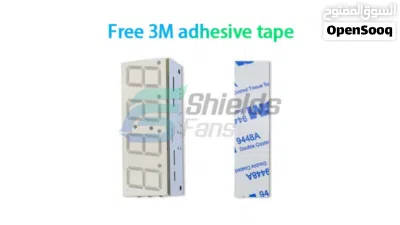
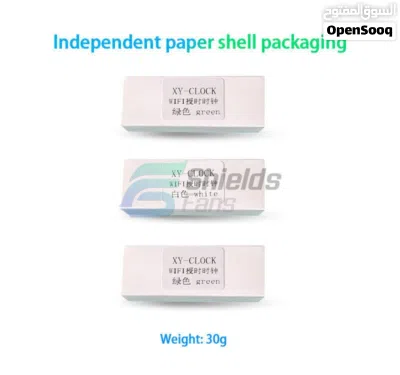
JOD15
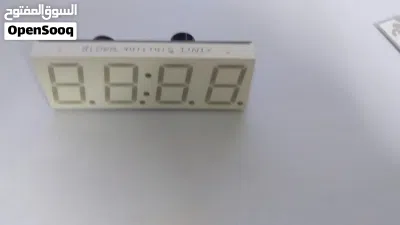
Bluetooth Decoder Board Automatic Wifi Time Clock
- NeighborhoodTabarboor
- CityAmman
- Sub CategoryOther Small Kitchen Appliances
- CategoryElectronics & Appliances
- Listing Id281980768
- Published Date02-06-2026
Description
Bluetooth Decoder Board Automatic Wifi Time Clock
السعر = 15 دينار
للطلب او الاستفسار الاتصال = Click to Show Phone Number 9627920792XX
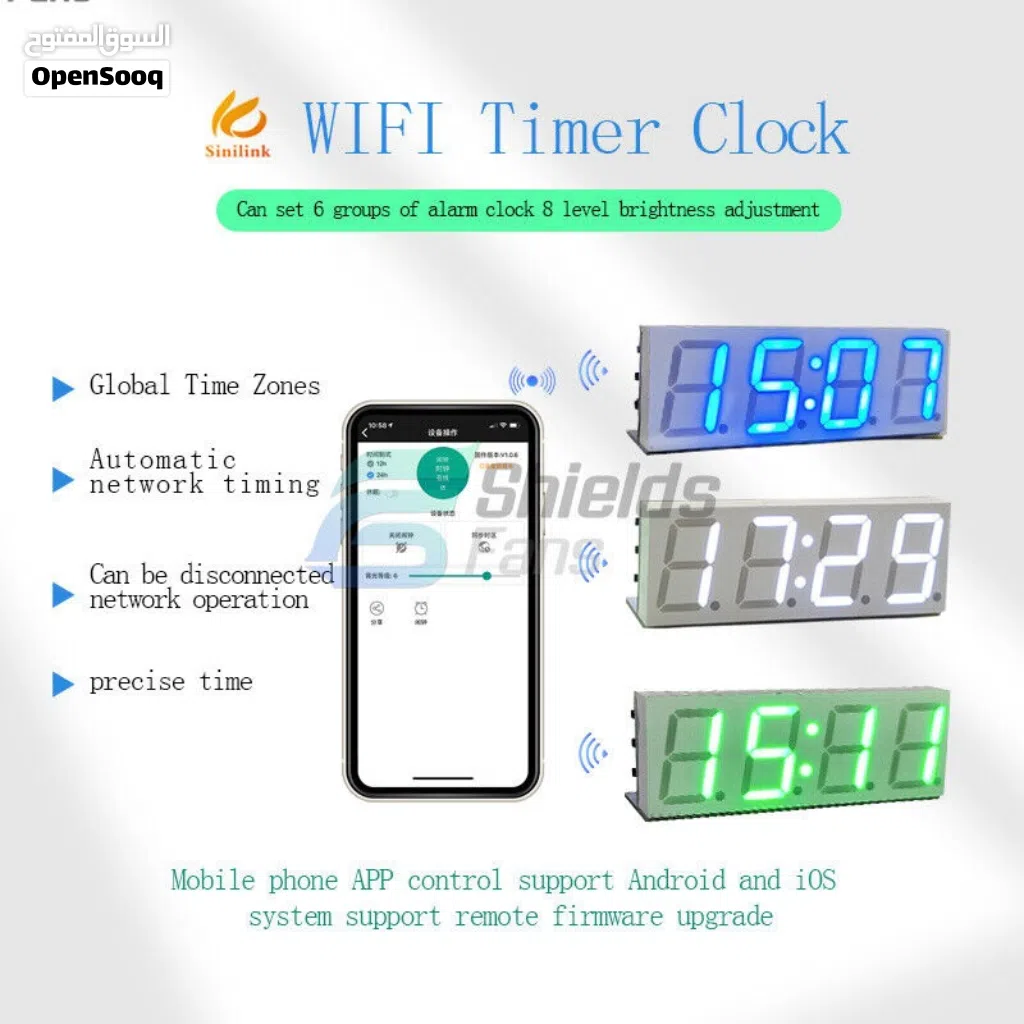
WIFI clock description
1. Mobile APP control supports Android and IOS systems to support remote firmware upgrades.
2. After the APP is successfully paired, the time zone is automatically sent to the product, and the current time zone + time format 12/24 hour system can be set.
3. Use 0.8 inch digital tube, time + date + 6 groups of alarm clock + 8 levels of brightness adjustment.
4. Equipped with global time zone, no matter where you are in any country, it is consistent with the time of your own country. Automatic network time synchronization once every 1 hour. As long as the network is continuously connected, it will keep stepping with the country or region. The measured error is generally within 1 second (mainly caused by network delay)
5. It is equipped with a high-precision clock chip and comes with a memory battery, which can guarantee the accuracy of time to the greatest extent when there is no network or no power supply.
6. Automatic screen restoring function, if the automatic rest screen function is turned on, the screen will automatically rest within 10 seconds without any key operation.
7. The set parameters are automatically saved when power off. Note: The product comes with a high-precision clock chip, if you do not get the product networking, it will not affect the normal use of the product.
Key operation
1. Adjust the brightness: In the running interface, short press the UP/DOWN button to adjust the brightness
2. Set the time In the running interface, long press the SET button for 1 second to enter the time adjustment interface, short press the set button to switch the parameter to be modified (hour, minute, month, day, year), short press the UP/DOWN button to modify the parameter; after the modification is completed, long press the set button for 1 second to exit Time adjustment interface.
3. Set the alarm In the running interface, press and hold the SET button for 3 seconds to enter the alarm setting interface, short press the set button to switch the parameter to be modified, and short press the UP/DOWN button to modify the parameter; after the modification is completed, long press the set button for 1 second to exit the time adjustment interface; Alarm parameter description: A1.ON//A1.OF A1: alarm serial number 1-6, a total of 6 On/OF: alarm state, On alarm is on; 〇F alarm is off.
4. Turn on/off sleep mode In the running interface, press and hold the UP button for more than 1 second to turn on/off the sleep mode; LP:On turns on the sleep mode (no key operation within 10 seconds, the screen will automatically stop; operate any key to wake up) LP:OF turns off sleep mode
5. Turn on/off the rotation display (month, day and time display in turn) On the running interface, press and hold the DOWN button for more than 1 second to turn on/off alternate display.
الرمز = 17
الرقم = 6
alaamashni@yahoo.com
السعر = 15 دينار
للطلب او الاستفسار الاتصال = Click to Show Phone Number 9627920792XX
WIFI clock description
1. Mobile APP control supports Android and IOS systems to support remote firmware upgrades.
2. After the APP is successfully paired, the time zone is automatically sent to the product, and the current time zone + time format 12/24 hour system can be set.
3. Use 0.8 inch digital tube, time + date + 6 groups of alarm clock + 8 levels of brightness adjustment.
4. Equipped with global time zone, no matter where you are in any country, it is consistent with the time of your own country. Automatic network time synchronization once every 1 hour. As long as the network is continuously connected, it will keep stepping with the country or region. The measured error is generally within 1 second (mainly caused by network delay)
5. It is equipped with a high-precision clock chip and comes with a memory battery, which can guarantee the accuracy of time to the greatest extent when there is no network or no power supply.
6. Automatic screen restoring function, if the automatic rest screen function is turned on, the screen will automatically rest within 10 seconds without any key operation.
7. The set parameters are automatically saved when power off. Note: The product comes with a high-precision clock chip, if you do not get the product networking, it will not affect the normal use of the product.
Key operation
1. Adjust the brightness: In the running interface, short press the UP/DOWN button to adjust the brightness
2. Set the time In the running interface, long press the SET button for 1 second to enter the time adjustment interface, short press the set button to switch the parameter to be modified (hour, minute, month, day, year), short press the UP/DOWN button to modify the parameter; after the modification is completed, long press the set button for 1 second to exit Time adjustment interface.
3. Set the alarm In the running interface, press and hold the SET button for 3 seconds to enter the alarm setting interface, short press the set button to switch the parameter to be modified, and short press the UP/DOWN button to modify the parameter; after the modification is completed, long press the set button for 1 second to exit the time adjustment interface; Alarm parameter description: A1.ON//A1.OF A1: alarm serial number 1-6, a total of 6 On/OF: alarm state, On alarm is on; 〇F alarm is off.
4. Turn on/off sleep mode In the running interface, press and hold the UP button for more than 1 second to turn on/off the sleep mode; LP:On turns on the sleep mode (no key operation within 10 seconds, the screen will automatically stop; operate any key to wake up) LP:OF turns off sleep mode
5. Turn on/off the rotation display (month, day and time display in turn) On the running interface, press and hold the DOWN button for more than 1 second to turn on/off alternate display.
الرمز = 17
الرقم = 6
alaamashni@yahoo.com
AI Tags

Section: MarketplaceListing Type: For SaleCategory: ElectronicsType: clockSeller Type: Individual SellerFeatures: automatic network synchronizationFeatures: alarm clockFeatures: brightness adjustmentFeatures: Remote ControlCondition: NewModel: wifi timer clockUsed Status: NewPower Source: ElectricModel Year: 2023
Frequently Asked Questions
How many listings are there in Other Small Kitchen Appliances?
What's the safest method to contact advertisers?
How can I arrange a safe meeting and verify the product quality?
Verified User

م. علاء المشني.Reply to chat within 9 hours
4.2
30-07-2013
General Tips
- Only meet in public places
- Never pay or transfer money in advance
- Inspect the product before you buy it
Sell Anything on OpenSooq
Do you have a similar Listing?
Add New Listing

Want more views?
Promote or Repost your listing
Explore More



![وصلة اورغ ميدي @ [(USB - MIDI (IN-OUT]](https://opensooq-images.os-cdn.com/previews/300x0/45/00/45001ba29966775185fc0dae8c76c7fdcca16ce58c51c6b3573c1cdc1172b712.jpg.webp)