1
JOD18
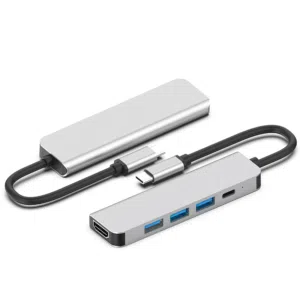
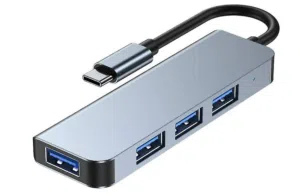
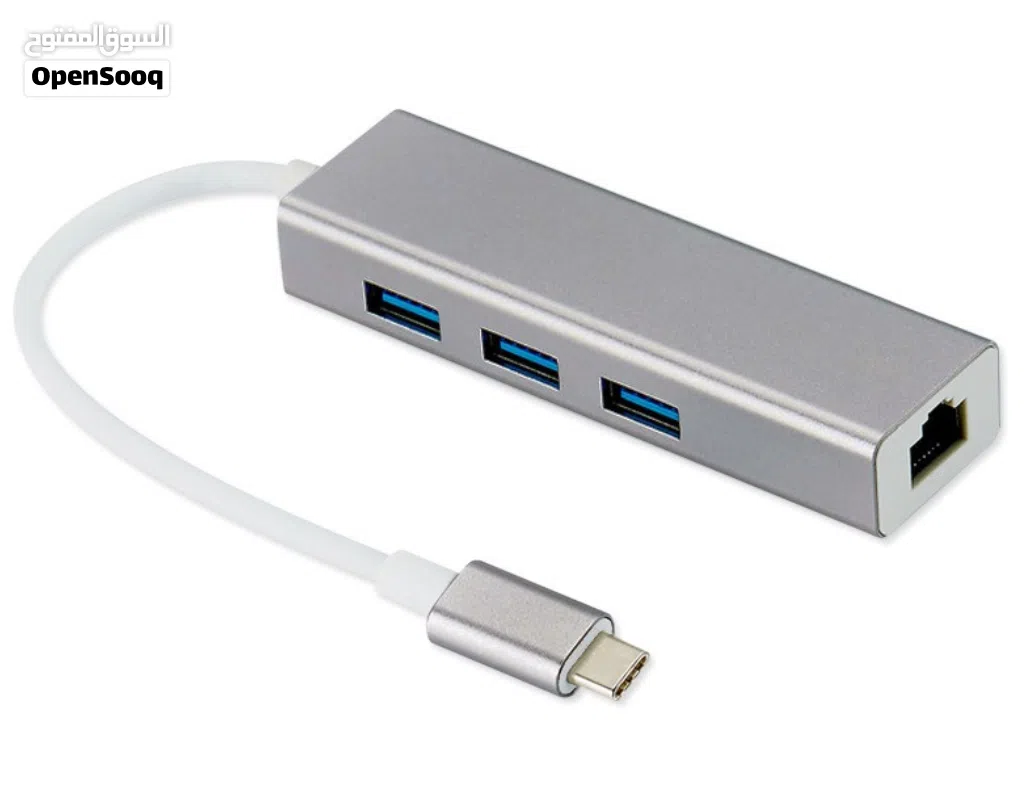
USB C to Ethernet Adapter, 4 in 1 Multiport Hub with Gigabit RJ45, 3 x USB 3.0 Ports
- NeighborhoodDowntown
- CityAmman
- Sub CategoryCables And Adapters
- CategoryComputers & Laptops
- Listing Id282428692
- Published Date11-06-2026
Description
USB C to Ethernet Adapter, 4 in 1 Multiport Hub with Gigabit RJ45, 3 x USB 3.0 Ports
4 in 1 USB C Ethernet Hub for Macbook Pro 2021: UGREEN USB C/Thunderbolt 3 Ethernet Adapter is equipped with a gigabit ethernet port and 3 USB 3.0 ports. While providing your device with a stable wired network, it's possible to expand more accessories, too. It's the perfect companion for your Macbook Pro 14"/16" 2021 (M1 Pro/M1 Max).
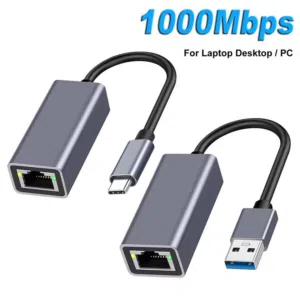
Gigabit High-Speed Network: With the gigabit ethernet port, UGREEN Type C to Ethernet Adapter can up to 1000Mbps data transfer speed. This usb to ethernet adapter can give a full play to the performance of your network and ensure stable network speed for you to online gaming, surf the Internet, online HD video streaming, upload, download, and more.
3 x USB 3.0 Ports for Quick Sync: UGREEN USB C to USB 3.0 Hub is designed with 3 high-speed USB 3.0 ports, which can simply help your device to connect more accessories such as a mouse, keyboard, external drive, thumb drive, and more. And the data sync of USB 3.0 can up to 5Gbps, which is 10x faster than USB 2.0.
Widely Compatible: UGREEN USB C 4 in 1 Ethernet Hub is compatible with most USB-C and Thunderbolt 3 devices like Macbook, iPad, and more. It's driver-free on Windows 11/10/8.1/8, Mac OS, iPad OS, Chrome OS, and Android. (Some models of Android may not support). It requires installing the driver on Windows XP/7/Vista and Linux, which you can easily install with our instructions.
4 in 1 USB C Ethernet Hub for Macbook Pro 2021: UGREEN USB C/Thunderbolt 3 Ethernet Adapter is equipped with a gigabit ethernet port and 3 USB 3.0 ports. While providing your device with a stable wired network, it's possible to expand more accessories, too. It's the perfect companion for your Macbook Pro 14"/16" 2021 (M1 Pro/M1 Max).
Gigabit High-Speed Network: With the gigabit ethernet port, UGREEN Type C to Ethernet Adapter can up to 1000Mbps data transfer speed. This usb to ethernet adapter can give a full play to the performance of your network and ensure stable network speed for you to online gaming, surf the Internet, online HD video streaming, upload, download, and more.
3 x USB 3.0 Ports for Quick Sync: UGREEN USB C to USB 3.0 Hub is designed with 3 high-speed USB 3.0 ports, which can simply help your device to connect more accessories such as a mouse, keyboard, external drive, thumb drive, and more. And the data sync of USB 3.0 can up to 5Gbps, which is 10x faster than USB 2.0.
Widely Compatible: UGREEN USB C 4 in 1 Ethernet Hub is compatible with most USB-C and Thunderbolt 3 devices like Macbook, iPad, and more. It's driver-free on Windows 11/10/8.1/8, Mac OS, iPad OS, Chrome OS, and Android. (Some models of Android may not support). It requires installing the driver on Windows XP/7/Vista and Linux, which you can easily install with our instructions.
AI Tags

Frequently Asked Questions
How many listings are there in USB-C?
What's the safest method to contact advertisers?
How can I arrange a safe meeting and verify the product quality?
Verified User

مؤسسة عابدين للإلكترونياتReply to chat within day
3.9
26-03-2017
General Tips
- Only meet in public places
- Never pay or transfer money in advance
- Inspect the product before you buy it
Sell Anything on OpenSooq
Do you have a similar Listing?
Add New Listing

Want more views?
Promote or Repost your listing
Explore More